Verify a supplier SBOM
Bring a supplier SBOM to compare declared components with the observed inventory and review version, hash, and license differences.
Product example / OpenWrt
Follow a saved OpenWrt assessment from intake to component evidence and advisory review. Every product view below comes from the same firmware version.
OpenWrt / 25.12.5 / x86-64
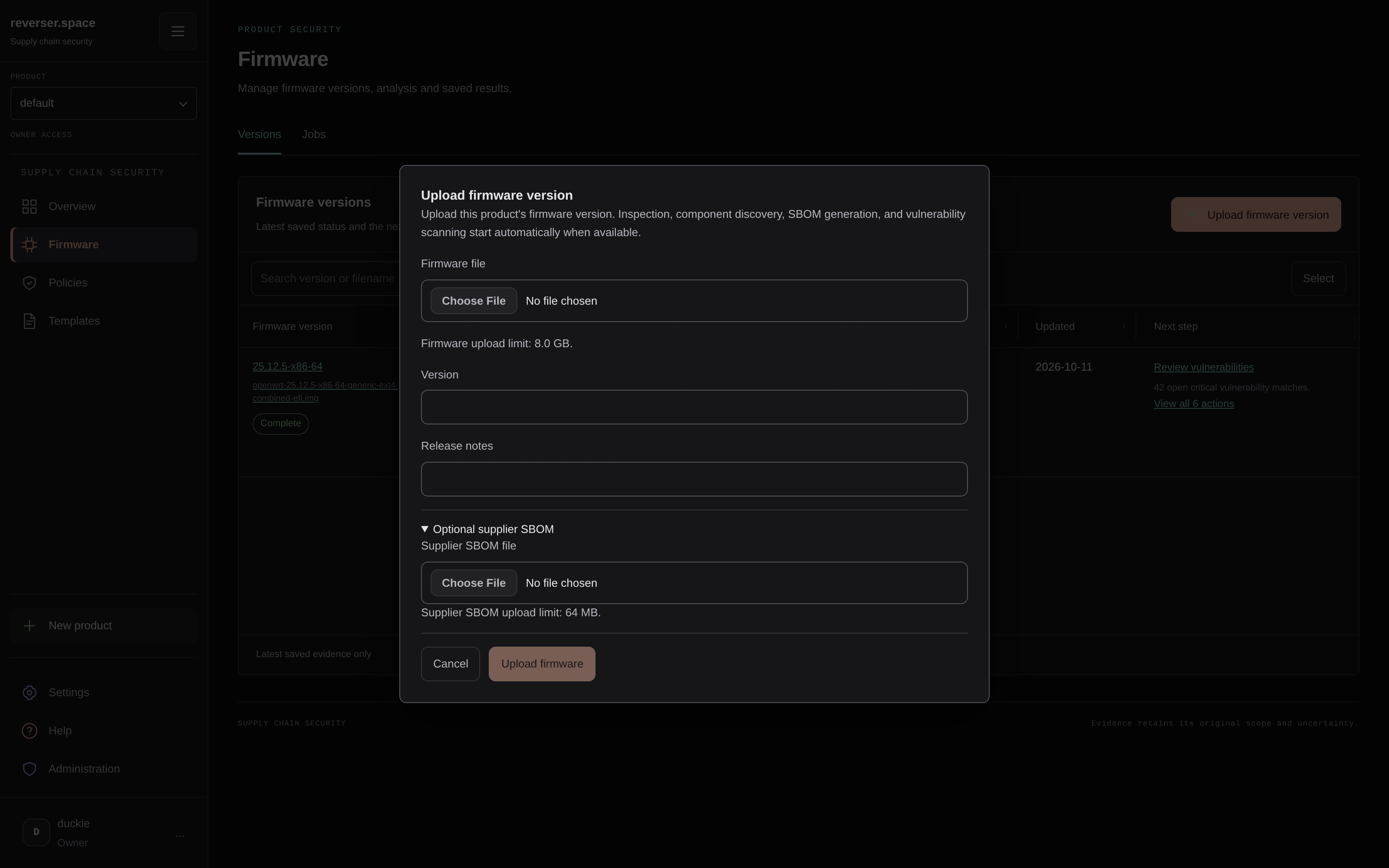
01 / Firmware intake
The saved analysis uses openwrt-25.12.5-x86-64-generic-ext4-combined-efi.img, recorded as 25.12.5-x86-64. Product and version details keep the results tied to the delivery being reviewed.
The intake view shows where a team adds firmware, release notes, and an optional supplier SBOM.
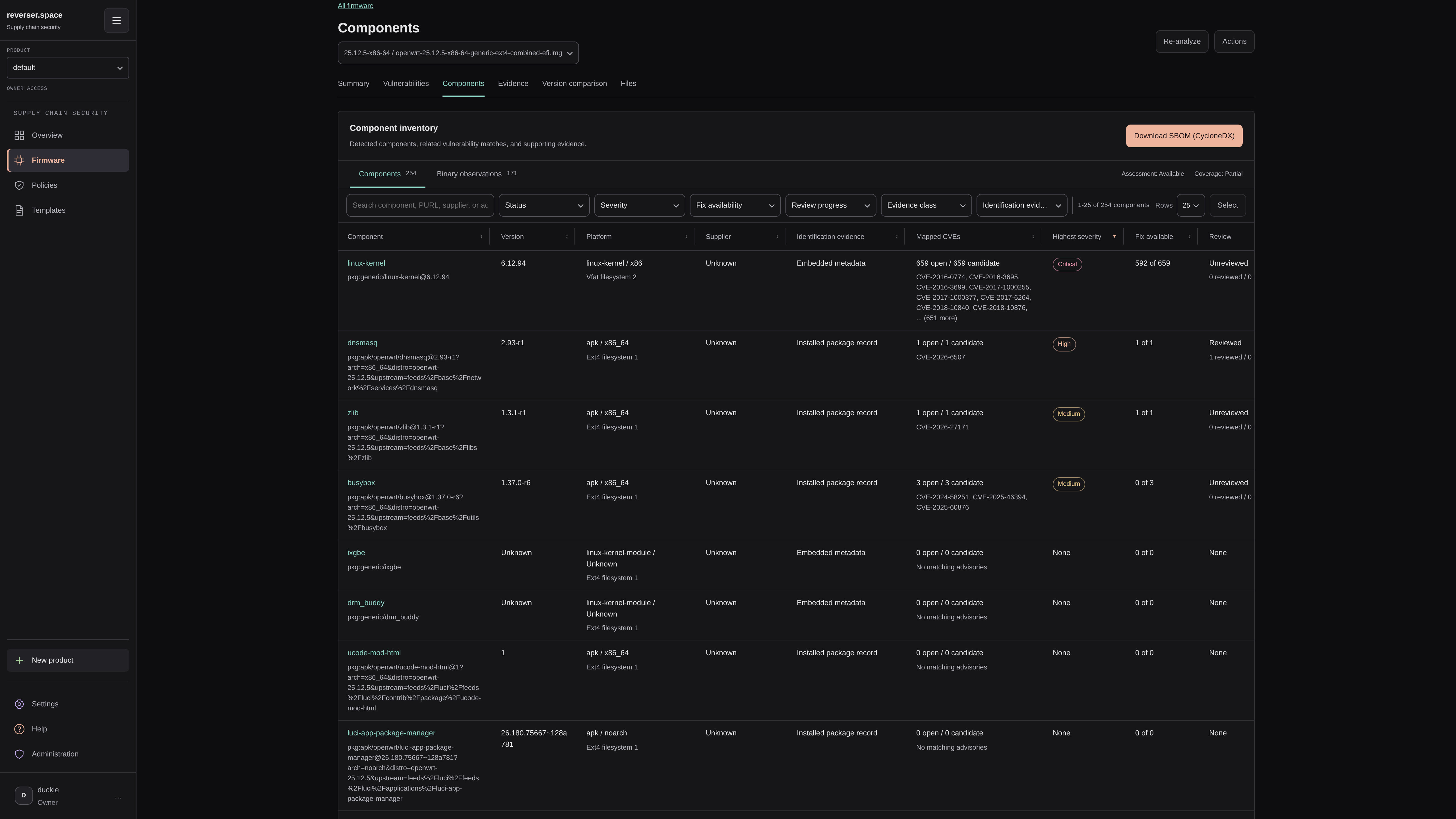
02 / Component evidence
The saved inventory contains 254 component observations and 171 binary observations. Review each component's identity state and supporting evidence, including inferred identities.
Inspect a component's supporting records to connect the inventory back to the firmware.
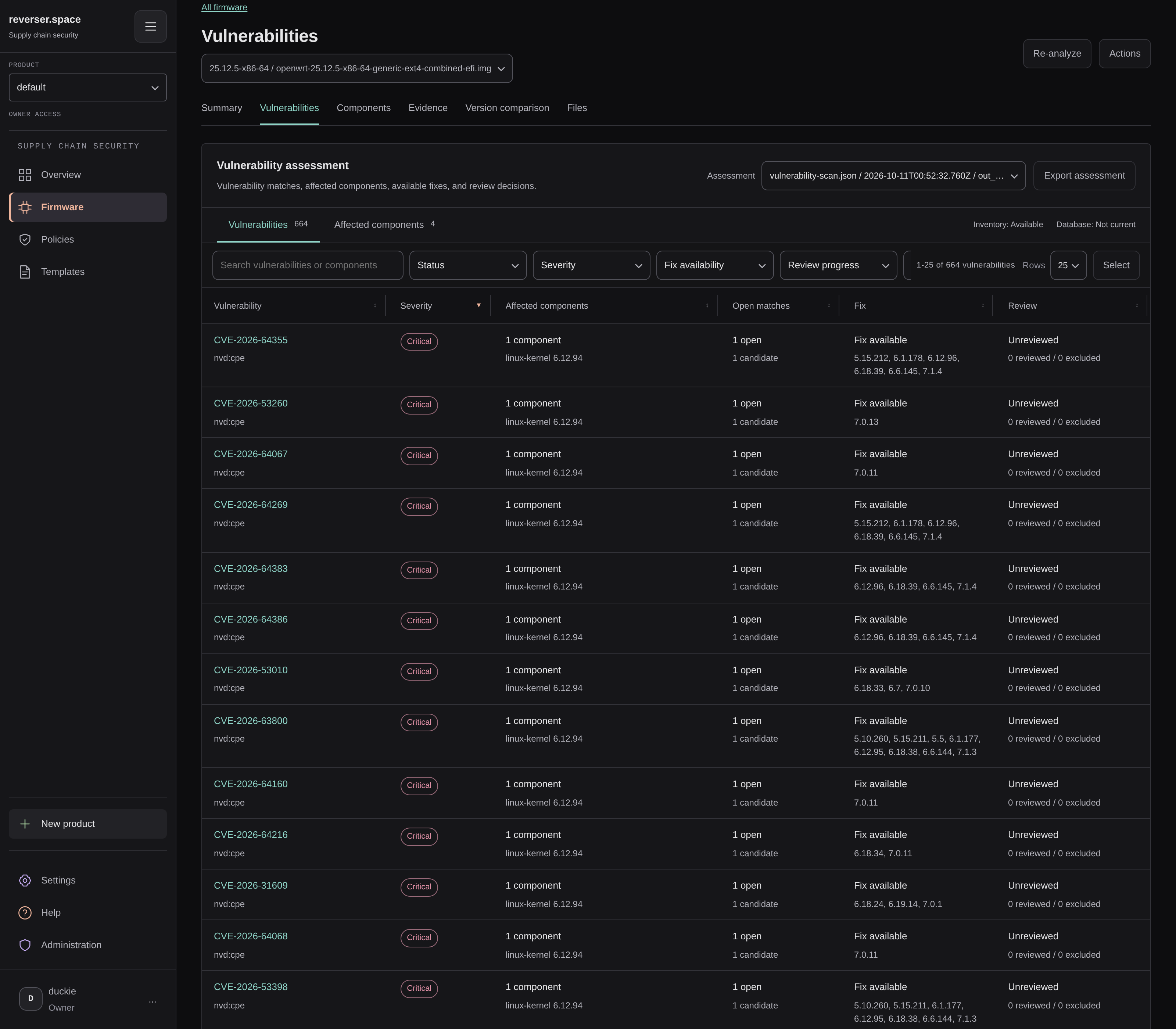
03 / Advisory review
The assessment records 664 advisory matches across all review states, with 664 open component matches. The saved view groups affected components, available fixes, and review state so an analyst can investigate applicability and plan follow-up work.
Keep the component version and advisory evidence together when recording a decision.
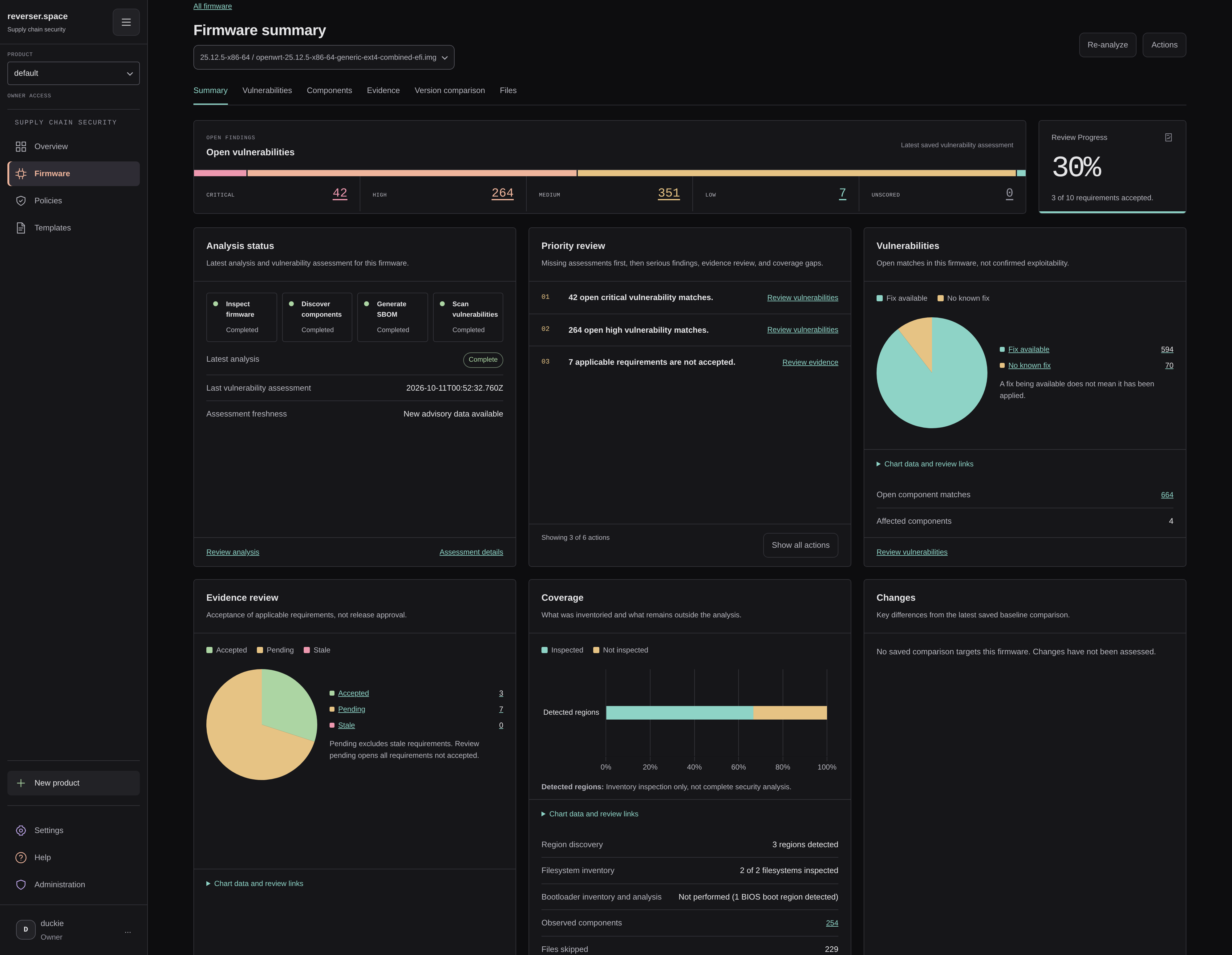
04 / Assessment summary
The firmware summary brings severity, priority actions, and coverage into one place. Review Progress shows 3 of 10 requirements accepted (30%). Download a concise summary with the recorded counts and links to the original product captures.
For your workflow
Explore the same workflow in a technical demo. See how your team can inspect component evidence, review advisory matches, and save findings in the product.